Features
From spotting the ship to sending the quote, at one desk.
Shiporax covers a ship chandler's daily work end to end: ship traffic, first contact, the incoming list, pricing and the quote in the ship's language. You have the final say at every step.
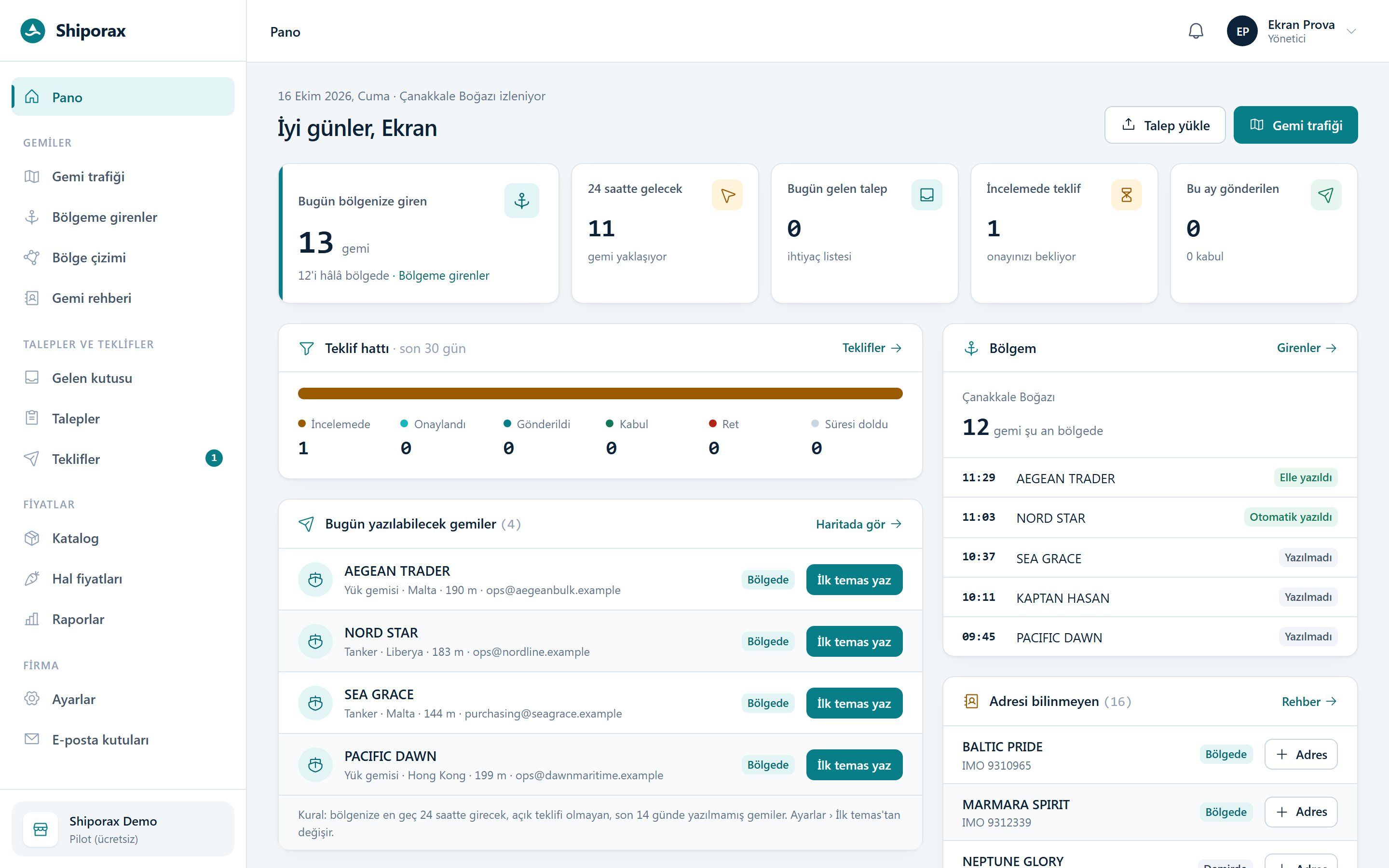
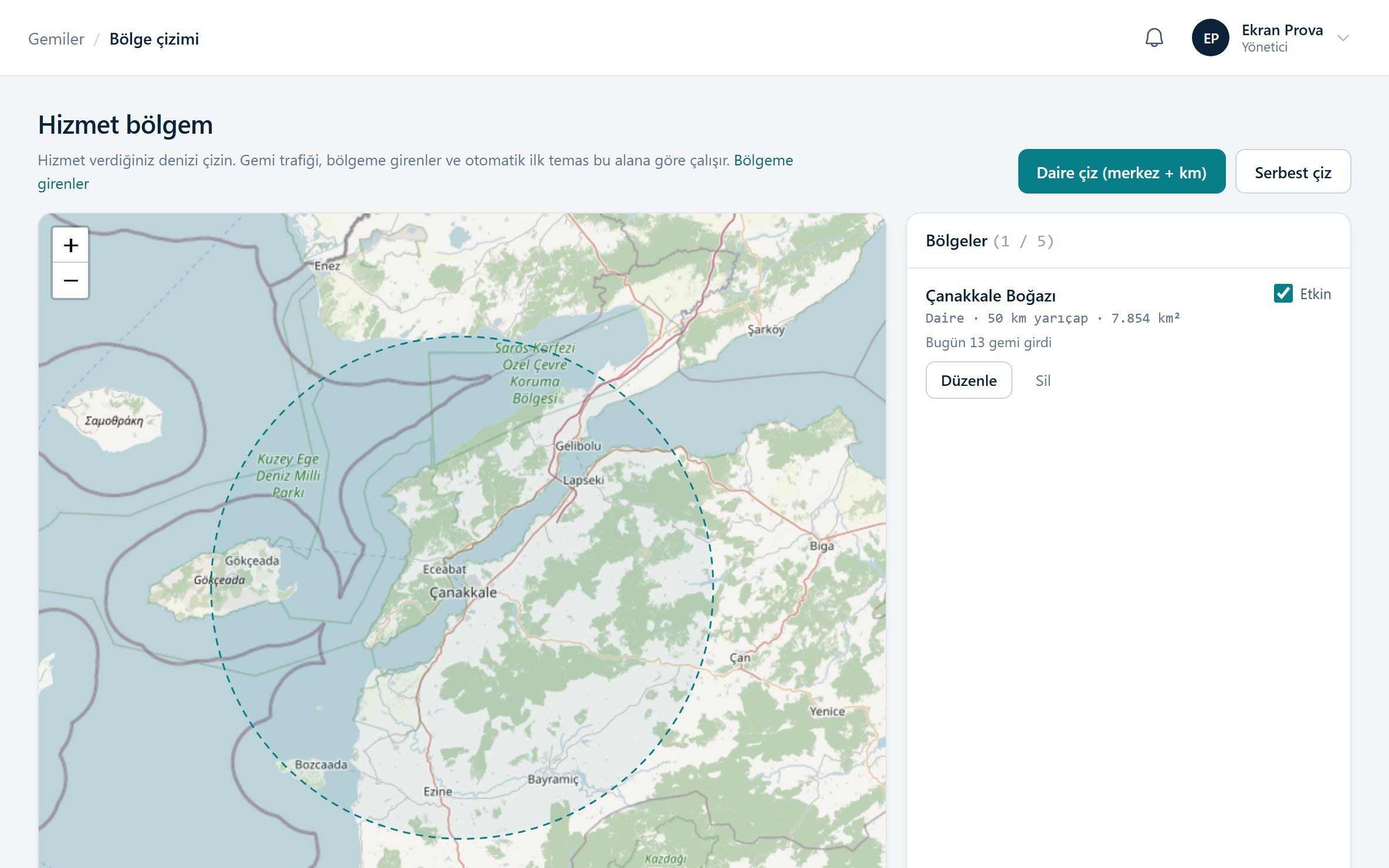
Ship traffic
Draw your service area, see every ship that enters
You define your area on the map as a circle or a free-hand shape. Live AIS data shows the ships entering and approaching it; everyone who entered during the day is in a single list.
- Up to five areas, for example 50 km around the strait
- Ship name, IMO, flag, type, length, destination and estimated arrival
- Daily entry list downloadable as Excel
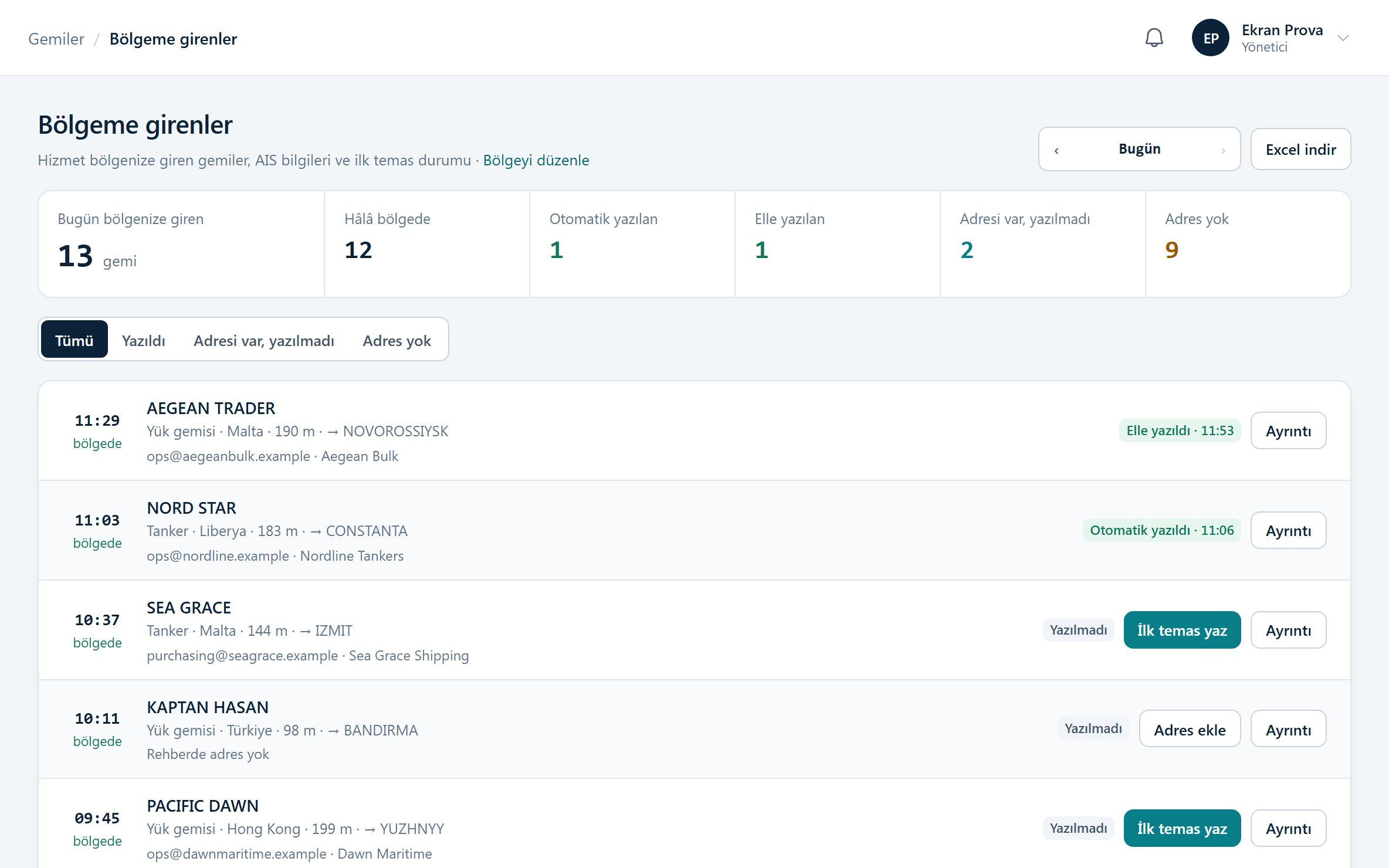
First contact
"Need anything?" e-mails in your company's name, in five languages
A ship entering your area receives a professional first-contact e-mail from your own mailbox. Send it by hand or automatically; the switch is yours.
- English plus Russian, Chinese, Arabic, Japanese or Turkish; the text of every language can be edited
- An unsubscribe link in every e-mail; addresses that opt out are never written to again
- A daily limit and a waiting period per address, checked on every send
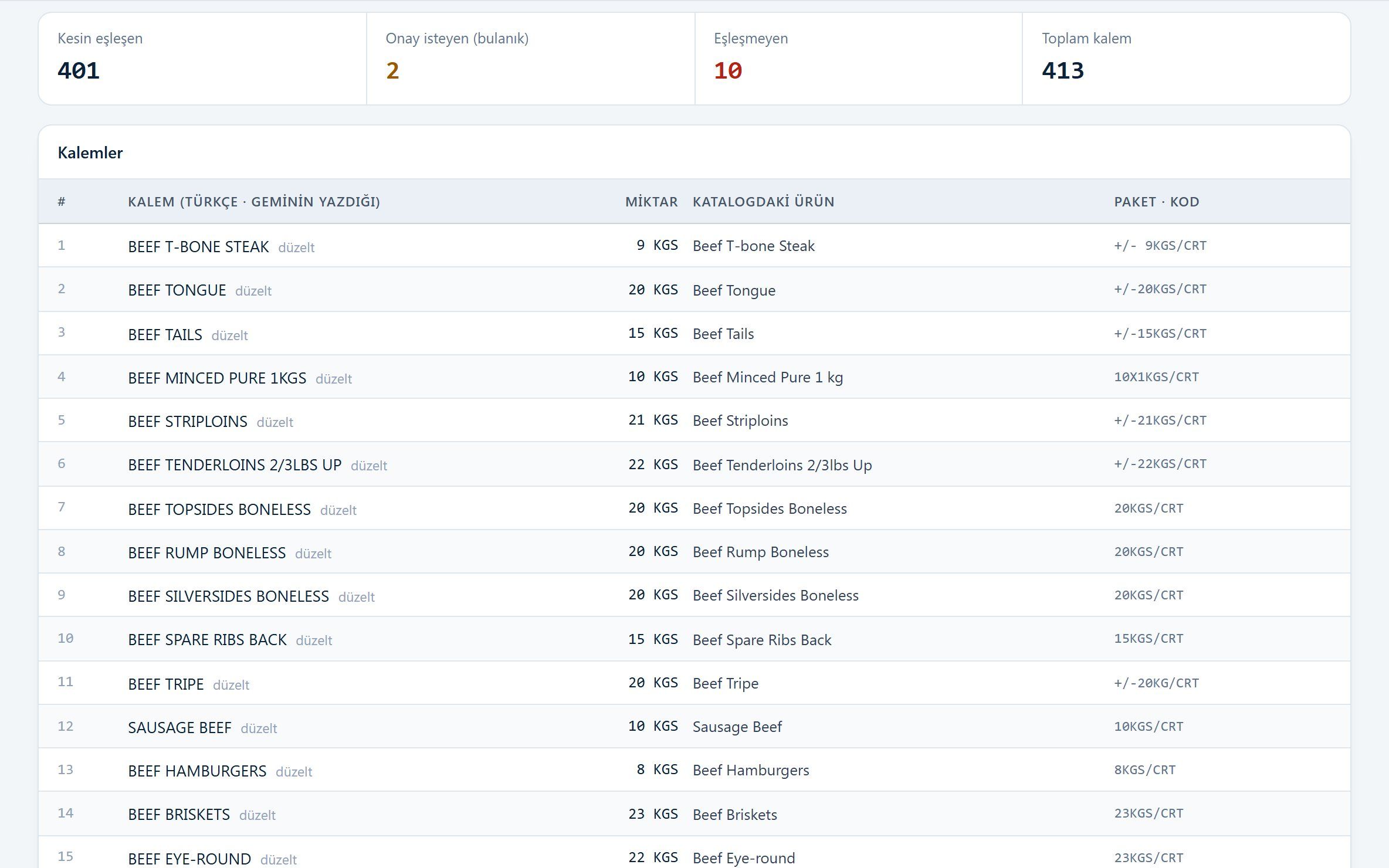
Requisition reading
Whatever language or format the list comes in
Your mailboxes are connected and requisitions from ships are read automatically. Every line is matched to your catalog; uncertain lines are flagged, not guessed.
- Excel, PDF, a photo or the e-mail body
- Chinese, Russian and Japanese lines shown with a Turkish translation
- A match you correct once is recognized automatically in the next list
Pricing
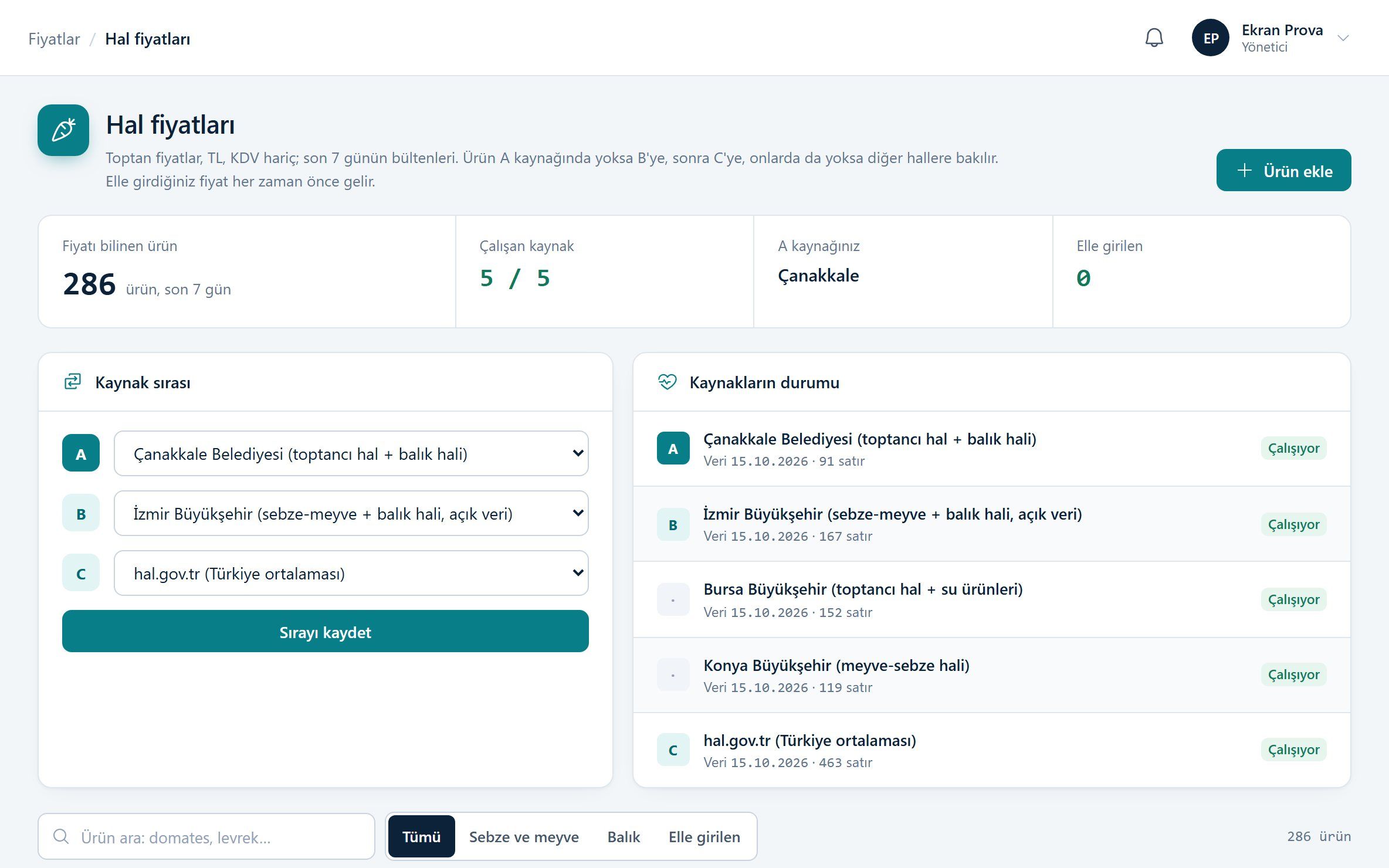
Your purchase price, your margin and today's market price
Your own purchase list is the backbone of every quote. Your margin rules, the current exchange rate and extra charges are applied automatically; for fresh produce, wholesale market prices serve as a reference.
- Margin priority: product, category, general
- Five wholesale market sources in your A-B-C order; if one goes down, the next takes over
- Every price shows which market it came from; you can also enter prices by hand
Quote
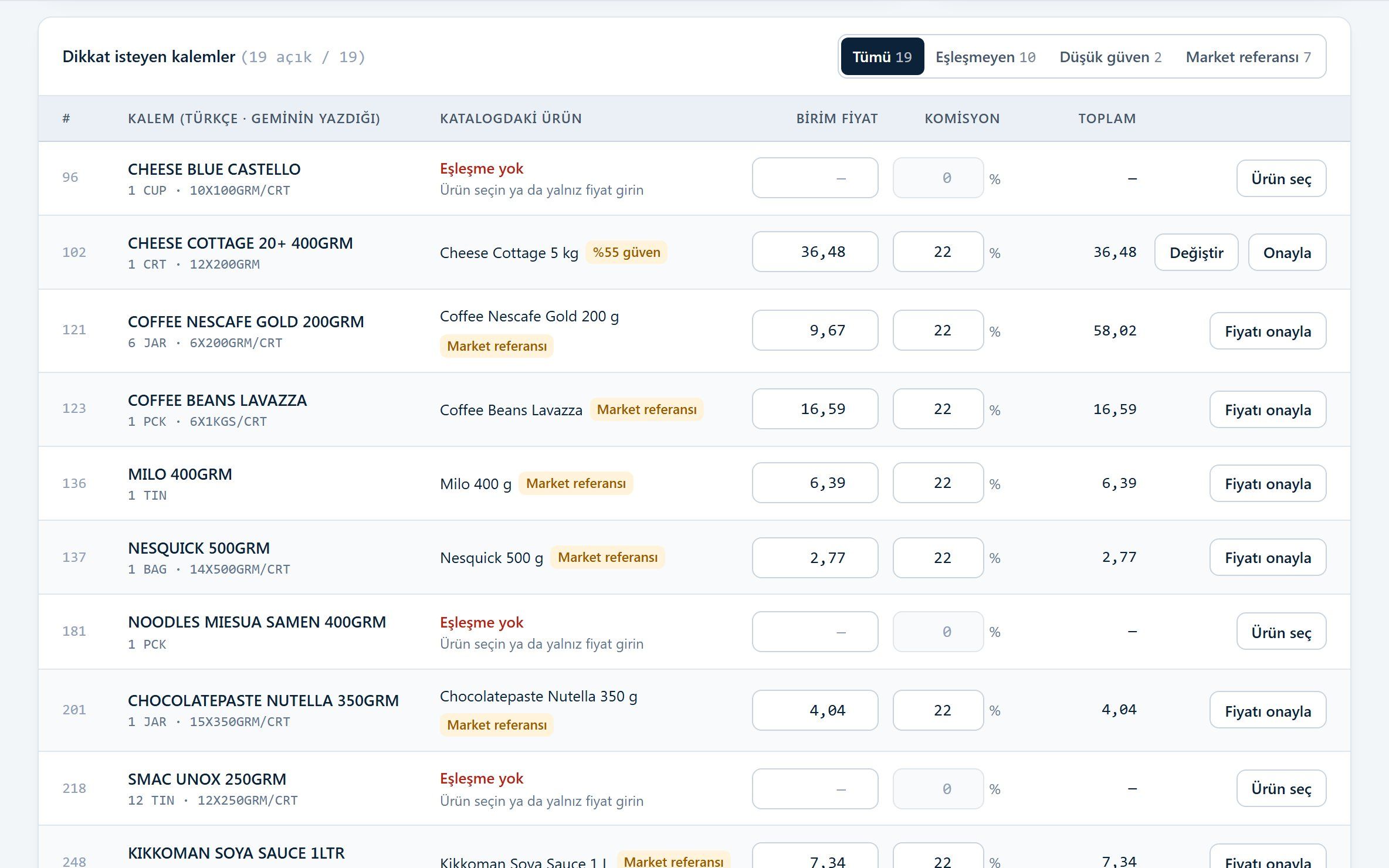
The quote in the ship's language, from your own mailbox
On the review screen the ship's line and the matched product sit side by side. When you approve, the PDF and Excel quote is prepared in the ship's language and sent in the same e-mail thread.
- Documents in Chinese, Russian, Japanese, Arabic and other languages
- Quote code in the subject; the ship's reply is linked to the quote
- Acceptances and rejections are recorded and show up in reports
Automatic sending
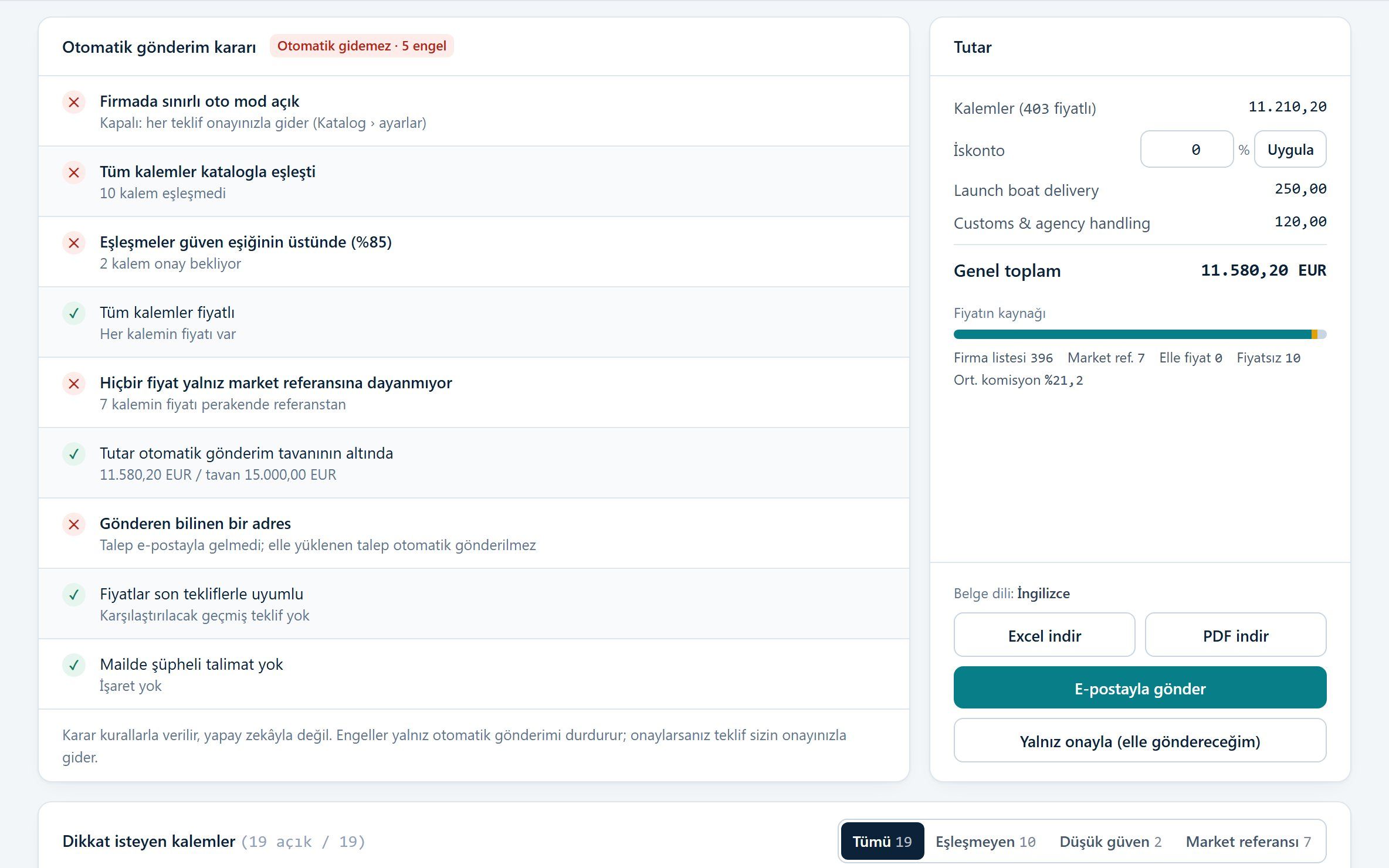
It goes out on its own, but only when every condition holds
If you switch on limited automatic mode, a quote can go out without waiting for approval. Your rules decide, not the AI; if a single condition fails, the quote comes to you with the reason.
- Every line matched with confidence and priced
- Total below the limit you set
- A known sender, and no suspicious instructions in the e-mail
Details that make daily work easier
Notifications
New requisitions, replies from ships, automatic sends and connection problems reach you in the panel with a bell.
Ship directory
Owner and agent addresses are uploaded from Excel and learned automatically from incoming e-mails.
Team and permissions
Owner, manager, specialist and viewer roles. Who can change what is clear.
Reports
Accepted value, acceptance rate, time from requisition to quote and the ships you quote most.
Your data stays yours
Each company's data is kept separate; your lists, prices and correspondence are never visible to another company.
On your phone too
The panel fits your phone: see the alert when a list arrives and approve the quote from the quayside.
See it on your own screen
Free during the pilot. We review your application and open your account.